Blog
Overview of Oracle Sharding in Oracle Database 12.2
Category: Database Author: Skant Gupta Date: 6 years ago Comments: 0

Overview of Oracle Sharding in Oracle Database 12.2

What is Sharding?

In today’s growing demand for highly scalable solutions, Oracle has come up with an all new feature called Sharding also known as share nothing (SN). Sharding is a type of database partitioning that separates larger databases into smaller, faster and easily manageable subsets known as data shards.
Oracle Sharding can be used for custom-designed OLTP applications enabling distribution and replication of data across a pool of Oracle databases that do not have any hardware or software in common (share nothing). First release of Oracle Database 12.2.0.1 supports scaling upto 1000 shards.
Sharding enables you to split your information between different servers thereby allowing better scalability and high availability. In sharding, every node is referred to as a shard, each holding a specific portion of data. Different shards can hold the same data to provide better availability and scalability options. In order to access the required data, you need to know the exact shards holding the relevant information
Data is split amongst the shards in a round-robin fashion. Say for instance you are saving 20 items in shard. If you have 2 shards, each shard will comprise of 10 items. Similarly, if you have 5 shrads; each shard will comprise of 4 items and so on.
Oracle Sharding provides superior runtime performance and is easy to manage when compared to home grown deployments that use a similar approach.


Components of the Oracle Sharding Architecture

  • Shards – independent physical Oracle databases hosting a subset of the sharded database
  • Sharded database (SDB) – a single logical Oracle Database that is horizontally partitioned across a pool of physical Oracle Databases (shards) that do not share any hardware or software
  • Shard directors – network listeners that enable high performance connection routing, based on a sharding key
  • Shard catalog – An Oracle Database that supports automated shard deployment, centralized management of a sharded database, and multi-shard queries
  • Global service – database services that provide access to data in an SDB
  • Connection pools – connection pools act as shard directors by routing database requests across pooled connections at runtime
  • Management interfaces – GDSCTL (command-line utility) and Oracle Enterprise Manager (GUI)
Note: Sharding key affects the entire physical architecture, hence you need to be very careful while choosing the sharding Architecture and key.


General Architecture of Oracle Sharding with two shards and one shard catalog database.

Figure 1 Oracle Sharding Architecture with two shards and one catalog
Figure 2 Oracle Sharding Architecture


Sharding Methods

Sharding can be done using three different methods as discussed below:
  • System-Managed Sharding

With system managed sharding, data is automatically distributed across multiple shards using the partitioning algorithm. Partitioning algorithm is responsible for evenly distributing data across shards. Here, user need not specify the mapping of data across shards.
  • Composite Sharding
The composite sharding method allows you to create multiple shardspaces for different subsets of data in a table partitioned by consistent hash. A shardspace is set of shards that store data that corresponds to a range or list of key values.
  • Using Subpartitions with Sharding
All of the subpartitioning methods provided by Oracle Database are also supported for sharding as Oracle Sharding is based on table partitioning.


Benefits of Sharding

  • Fault Containment. The SN infrastructure eliminates single point of failure and hence provides strong fault isolation. Failure or slow-down of one shard does not affect the performance or availability of other shards.
  • Linear Scalability. Shards are highly scalability making it convenient to add new data into the shards without impacting the previously available shards. Sharding eliminates performance bottlenecks which makes it possible to linearly scale performance and capacity by adding shards.
  • Rolling Upgrades. Applying configuration changes on one shard at a time does not affect other shards, and allows administrators to first test the changes on a small subset of data.
  • Geographical Distribution of Data. Sharding makes it possible to store particular data close to its consumers and satisfy regulatory requirements when data must be located in a particular region.
  • Simplicity of Cloud Deployment. Sharding is well suited to deployment in the cloud. Shards may be sized as required to accommodate whatever cloud infrastructure is available and still achieve required service levels. Oracle Sharding supports on-premises, cloud, and hybrid deployment models
  • Reduced Downtime. Maintenance can perform on specific shards, allowing only a local downtime.
 

Oracle Sharding supports the following features

  • Relational schemas
  • SQL and other programmatic interfaces
  • Online schema changes
  • Compression
  • Multi-core scalability
  • High Availability
  • Advanced security
  • Read consistency and ACID properties (very rich feature when compared to other databases)
  • Database partitioning
  • Enterprise-scale backup and recovery
  • Developer agility with JSON
 

Observer, Where?
Category: Database Author: Fernando Simon (Board Member) Date: 6 years ago Comments: 0

Observer, Where?

Some months ago I got one error with Oracle Data Guard and now I had time to review again and time write this article. Just to be clear since the begin, the discussion here it is not about the error itself, but about the circumstances that generated it.
The environment described here follow the most, and common, best practices for DG by Oracle. Have 1 dedicated server for each one: Primary Database, Physical Standby Database and Observer. The primary and standby resides in different datacenters in different cities, dedicated network for interconnect between sites, protection mode was Maximum Availability and runs with fast-start failover enabled (with 30 seconds for threshold). The version here is 12.2, but will be the same for 19c. So, nothing so bad in the environment, basic DG configuration trying to follow the best practices.
But, one day, application servers running, primary linux db server running, but database itself down. Looking for the cause, found in the broker log:


03/10/2019 12:48:05

LGWR: FSFO SetState(st=2 "UNSYNC", fl=0x2 "WAIT", ob=0x0, tgt=0, v=0)

LGWR: FSFO SetState("UNSYNC", 0x2) operation requires an ack

        Primary database will shutdown within 30 seconds if permission

         is not granted from Observer or FSFO target standby to proceed

LGWR:   current in-memory FSFO state flags=0x40001, version=46

03/10/2019 12:48:19

A Fast-Start Failover target switch is necessary because the primary cannot reach the Fast-Start Failover target standby database

A target switch was not attempted because the observer has not pinging primary recently.

FSFP network call timeout. Killing process FSFP.

03/10/2019 12:48:36

Notifying Oracle Clusterware to disable services and monitoring because primary will be shutdown

Primary has heard from neither observer nor target standby

        within FastStartFailoverThreshold seconds. It is

        likely an automatic failover has already occurred.

        The primary is shutting down.

LGWR: FSFO SetState(st=8 "FO PENDING", fl=0x0 "", ob=0x0, tgt=0, v=0)

LGWR: Shutdown primary instance 1 now because the primary has been isolated


And in the alertlog:

2019-03-10T12:48:35.860142+01:00

Starting background process FSFP

2019-03-10T12:48:35.870802+01:00

FSFP started with pid=30, OS id=6055

2019-03-10T12:48:36.875828+01:00

Primary has heard from neither observer nor target standby within FastStartFailoverThreshold seconds.

It is likely an automatic failover has already occurred. Primary is shutting down.

2019-03-10T12:48:36.876434+01:00

Errors in file /u01/app/oracle/diag/rdbms/orcl/orcl/trace/orcl_lgwr_2472.trc:

ORA-16830: primary isolated from fast-start failover partners longer than FastStartFailoverThreshold seconds: shutting down

LGWR (ospid: 2472): terminating the instance due to error 16830


But this is (and was) not a DG problem, the DG made what was design to do. Primary lost the communication with the Standby and Observer and after the Fast-Start Failover threshold, FSFP killed the primary because it don’t know if was evicted and want avoid split brain (or something similar). Worked as designed!
As I wrote before the main question here is not the ORA-XXXX error, but the circumstances. In this case, by design definition (and probably based in the docs), chosen to put the observer in the same site than standby. But, because one failure in the standby datacenter (just in the enclosure that runs blades for Oracle stuffs, application continued to runs), the entire database was unavailable. One outage in standby datacenter, shutdown the primary database even DG running in Maximum Availability mode.


As you can imagine, because the design decision “where to put the observer”, everything was down. If the observer was running in the primary datacenter, nothing supposed to occurs. But here it is the point for this post: “Where you put the Observer?”, “Primary site? Standby site?”, and “Why?”, “How you based this decision?”. Appears to be a simple question to answer, but there are a lot of pros and cons, and there is not much information about that.
If you search in the Oracle docs they recommend to put the observer in a third datacenter, isolated from the others, or in the in the same network than application, or in the standby datacenter. Here: https://www.oracle.com/technetwork/database/availability/maa-roletransitionbp-2621582.pdf (page 9). But, where are pros and cons for the decision? And how many clients that have a third datacenter? And if you search about where put the observer over the google, the 99% spread the same information (that go in the opposite of docs) “primary site”. But again, “Why?”.


Observer in primary site:
  • Pros: Protect for most failures (primary db crash failure, db logical crash as example), low impact network issues for observer (usually same LAN than primary).
  • Cons: Not protect (not switch) in case of whole primary datacenter failure.
  • When to use: When you want to avoid “false positive” switches in case of network problems against standby datacenter or you “not trust” in standby datacenter. Or because all transactions are important (will explain later).

Observer in standby site:

  • Pros: Protect against whole primary datacenter failure.
  • Cons: Heavy dependency from network between sites (need even multiple paths), can suffer “false positives” switches since standby site decides even if primary is running correctly (similar than related here). When database is more important than transactions, maybe Maximum Availability is not suitable (explain later).
  • When to use: When you want to protect the database and when your system and network infrastructure between datacenter are reliable.
Observer Third datacenter:
  • Pro: Cover all scenarios of failures.
  • Cons: Very heavily dependent of good network to avoid “false positives” or will suffer from fast-start failover disabled. Will be more expensive.
  • When to use: when you want to protect for most of possible scenarios.
Bellow just one idea about a good design for high availability for database and applications. This came directly from the Oracle docs about  “Recovering from Unscheduled Outages – https://docs.oracle.com/database/121/HABPT/E40019-02.pdf


Above I talked about transactions and Maximum Availability that it is deeply related here. Remember that primary database shutdown only after the fast start failover threshold? This means that primary database received transactions during 30 seconds before shutting down. If you put observer in standby site you can suffer from data loss (of course that failover, by design, means that) because standby side decides everything.
 
If you do that, maybe you need to operate in Maximum Protection to have zero data loss. This is more clear, or critical, if your database receive connections from applications that are not in the same datacenter and can connect in both at same time. In Maximum Protection you avoid that primary commit data in moments of possible failures, but you will put some overhead in every transaction operating in sync mode (https://www.oracle.com/technetwork/database/availability/sync-2437177.pdf). So, you need to decide if database running is more important than transactions.
 
Of course that every strategy have pro and cons. Observer in primary is more easy, maybe can allow you to use less strict protection and continue to have a high transaction protection, but not handle full datacenter failure. Observer in standby can protect from datacenter failure, but is possible that you need to handle with more “false positive” switches of primary db or even complete primary shutdown (as related here) in the case of standby datacenter failure. Adding the fact that maybe your application needs to allow some data loss, or if not, you may need to operate in maximum protection. Observer in third site can be best option for data protection, but will be more expensive and heavily network and operational dependent.
 
As you can see, there is not easy design. Even a simple choose, like observer location, will left plenty of decisions to be made. With Oracle 12.2 and beyond (including 19c) you have better options to handle it, I will pass over this in the next post about multiple observers, but there is no (yet) 100% solution to cover all possible scenarios.
Martin Bracher, Dr. Martin Wunderli and Torsten Rosenwald made a good cover of this in the past. You can check the presentations here:
 
https://www.doag.org/formes/pubfiles/303232/2008-K-IT-Bracher-Dataguard_Observer_ohne_Rechenzentrum.pdf
https://www.trivadis.com/sites/default/files/downloads/fsfo_understood_decus07.pdf
https://www.doag.org/formes/pubfiles/218046/FSFO.pdf
I recommend read the docs too:
https://docs.oracle.com/en/database/oracle/oracle-database/12.2/dgbkr/data-guard-broker.pdf
https://www.oracle.com/technetwork/database/availability/maa-roletransitionbp-2621582.pdf
https://docs.oracle.com/en/database/oracle/oracle-database/12.2/sbydb/data-guard-concepts-and-administration.pdf
https://docs.oracle.com/database/121/HABPT/E40019-02.pdf
 

Disclaimer: “The postings on this site are my own and don’t necessarily represent my actual employer positions, strategies or opinions. The information here was edited to be useful for general purpose, specific data and identifications were removed to allow reach the generic audience and to be useful for the community.”


Exadata X8, Second look
Category: Engineer System Author: Fernando Simon (Board Member) Date: 6 years ago Comments: 0

Exadata X8, Second look

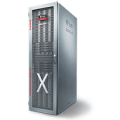
Every year Oracle arrives and release new version of Exadata with a plenty of new things. We have the natural evolution from hardware (more memory, more cpu…) and sometimes news features from software side. The point for this post today it is not about the HW and SW things, but something is hidden in the small lines of the new X8.
In the Exadata X8 datasheet it is possible to read about the new Extended (XT) Storage Server. And for me, this was the best thing in the new release. With the new XT you can have, in the same appliance (and for your database usage), one dedicated storage that you can use for some goods and cool things.
Think about, today if you have a huge partitioned table in your database you continue to store, in the same place (sharing the same disks), the partition that you use in almost every transaction and the partition that use one time per month. The same can occurs if you have a DSS database with mix of OLTP and DW loads. Or even mix DEV/TST/PRO databases in the same appliance.
And for Exadata you “waste” features like flash, smart scan, storage server memory and the most important – money – (because the storage server need to be licensed) for this “not used data” too. Until X8 you don’t have what to do, the options to offload this data outside of Exadata are complicate and require some intervention in database side beside that you need to sustain different hardware.
So, why it is more “Efficient”, “Simple”, “Secure”, “Scalable” and “Compatible”? Because in the same appliance you can have, transparently from/for database side and using the same db features (like TDE as example), two storages. You can create one additional diskgroup in the XT storage servers and move your archived data there. Simple like that. Another option, if you use OVM, you can dedicate XT for a DEV/TST vm.
If you read the data sheet, you saw a quickly information about “storage software is optional”. But this is something that need clarification. In the docs about System Overview for 19.2 version (page 284 or here) you can see two interesting things:
As you can see, you still have the Exadata Software installed in XT server, but all the SQLOffload features (like smartscan – storage index I am not sure) will be disabled. By the way, about the Exadata Software, there is no other option, it is required to be there to share the disks thought iDB because basically it is not ODA with “JBOD/NtoN/X” connection between database servers and disks. But as told, it is cropped from offload features BUT you don’t need to pay the expensive storage license for use it.
About the hardware itself, it is the same X8-2L model for HC with just one processor, less memory, no flash and 14TB disks. And you cant upgrade the memory. The XT servers is just for “Flexible Configurations” with at least two XT servers in the config.
So, with the XT server Oracle added new devices for Exadata that increase the available options for database usage, but at same time it is complete transparent and more cheaper. You don’t need to configure fancy things to offload your data outside of Exadata, you use the same sql to read data and continued to have a good response time. Maybe you can use ASM Flex disk groups too with XT to have more flexibility. And if you use the OVM you can dedicate this XT servers for DEV/TST vms too. From maintenance part, you have the same procedure to upgrade the storage software stack.
The bad part from XT, and I believe that will occur, is that some customer will buy one appliance with a lot of XT servers and will complain that “brought Exadata and it is slow”. So, if you are a sales person, please inform correctly the customer about the usage for XT servers.
At the end, if you think about, Exadata it is there in the market since 2010 with SQLOffloading/smartscan/storage index and there is nothing in the market to beat it. Of course that exist hardware that it is more powerful than Exadata. You can have new fancy all flash storage, but if you do full stable scan over 1TB table you still load this amount from storage to database memory; for Exadata the history is different. Remember that Exadata it is not just hardware, it is software too.


I wrote one article about new option for Exadata X8
http://www.fernandosimon.com/blog/exadata-x8-second-look/
 

Disclaimer: “The postings on this site are my own and don’t necessarily represent my actual employer positions, strategies or opinions. The information here was edited to be useful for general purpose, specific data and identifications were removed to allow reach the generic audience and to be useful for the community.”


Webinar – Oracle Golden Gate Microservices Overview (With Demo)
Category: Database Author: Andre Luiz Dutra Ontalba (Board Member) Date: 6 years ago Comments: 0

Webinar - Oracle Golden Gate Microservices Overview (With Demo)

Hi guys !!

Today we had our Webinar and we are posting the webinar here for you.


Follow the link in the PDF presentation: Click here


See you next time.

André Ontalba – Board Member


1 21 22 23 24 25 32